Safety
Why Tracepanel stays off outside development, what it keeps about your data, who can read it, and when the panel can switch the user.
Tracepanel is a development tool. Its defaults keep it off everywhere else.
Off unless DEBUG
With DEBUG = False, tracepanel.django installs nothing: no middleware, no
patches, no console. Only these turn it on without DEBUG:
TRACEPANEL = {"enabled": True}in the settings.- The
TRACEPANEL_ENABLED=1variable. - Starting the command with
tracepanel run.
So the app can stay in INSTALLED_APPS in every environment. If you'd rather
keep it out of production settings, start the dev server with tracepanel run
instead.
Who can read the traces
The console at /__tracepanel__/ doesn't check who asks. While Tracepanel is
on, anyone who can reach your app can open the console and read every trace,
with its SQL parameters, emails and errors. On your own machine with
runserver, that is only you. On a shared development server, or a staging
server where you turned Tracepanel on, it is everyone who can open the site.
The agent serves its own copy of the console on 127.0.0.1, so only this
machine reaches it. It also takes OpenTelemetry spans on 127.0.0.1:4318.
Local data
Tracepanel stores the traces in .tracepanel/ in your project. Add that
directory to .gitignore. Tracepanel sends no traces anywhere.
Outgoing HTTP calls carry a traceparent header, so a service your app calls
can link its trace to yours. The header holds the trace and span IDs and
nothing else. A request that sets its own traceparent keeps it.
To help you debug, traces keep SQL parameters and MongoDB values for
EXPLAIN, the local variables of errors, email bodies, and task arguments and
results. Tracepanel masks values in local variables, task arguments and log
records when their names look secret, such as passwords, tokens and keys. The
URL of an HTTP call keeps no credentials and no values of sensitive query
parameters. Each kind of data has a setting to turn it off:
capture_sql_params, capture_locals, capture_mail_body and
capture_task_args.
Sharing a trace
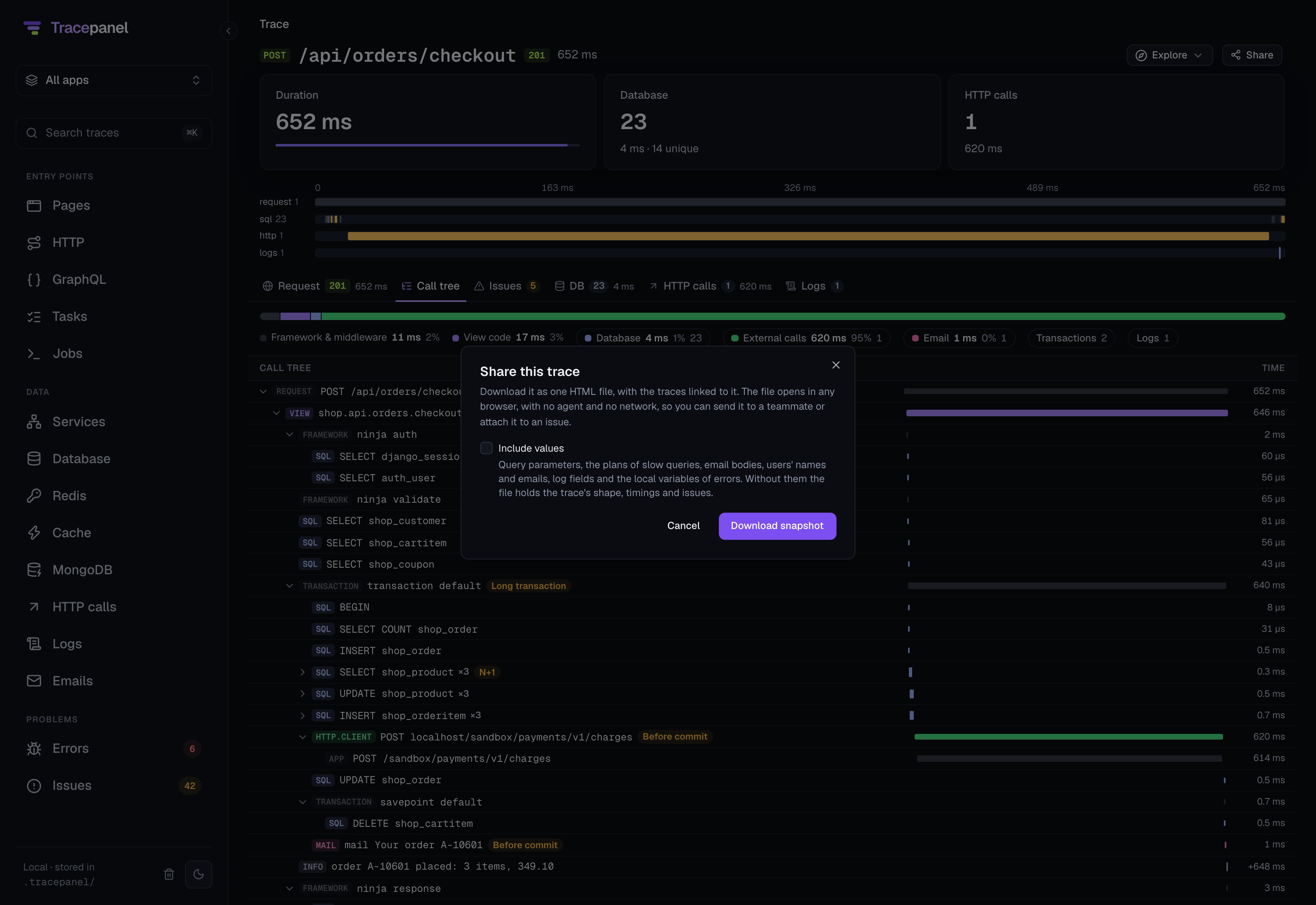
Share, on a trace's page in the console or in the panel, saves the trace as one HTML file. By default the file leaves out query parameters, email bodies, the user's name and email, log fields and the local variables of errors. Include values keeps them, with the plans of slow queries. Look at the trace before you send a file with values in it. See the console.
Switching the user
The panel can show your site as another user. It does so only when all of these are true:
DEBUGisTrue, even when Tracepanel was turned on another way.django.contrib.authanddjango.contrib.sessionsare installed.- The
user_switchsetting is on. It is on by default. - The request comes from this machine or from an address in
INTERNAL_IPS. - The switch itself comes from the page, as a same-origin call with Tracepanel's header, which another site can't send.
Turn it off with TRACEPANEL = {"user_switch": False}.